![ys_emblem_background_dorian_RGB.png]](https://helpcenter.yellowscan.com/hs-fs/hubfs/ys_emblem_background_dorian_RGB.png?height=40&name=ys_emblem_background_dorian_RGB.png)
UgCS users can introduce the initialization figure in their flight plan, using the U pattern.
This pattern is available only for UgCS EXPERT and UgCS ENTERPRISE licenses. The screenshots and instructions in this article are based on UgCS version 6.0.1
To add initialization figure please complete the following steps:
Double Click the U pattern, then enter the parameters as shown in the figure below.
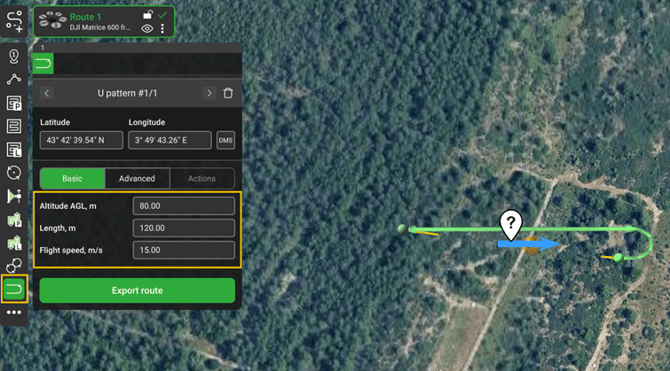
This U-shape pattern is defined by AGL altitude, length, and flight speed parameters. A length of 120m and a speed of 15 m/s are recommended to provide enough acceleration to initialize the IMU. (the current speed range in UgCS is 0 to 15 m/s)
To minimize the effects of wind, align the U pattern direction with the wind direction using the blue arrow in the screen shot.
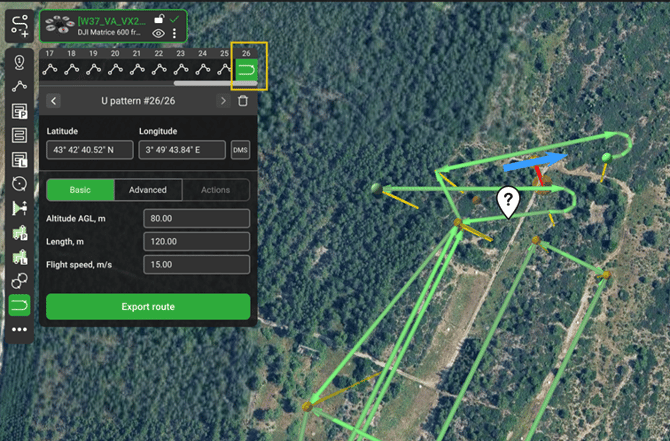
Create your flight plan as usual. At the end, add another U pattern using the same parameters.
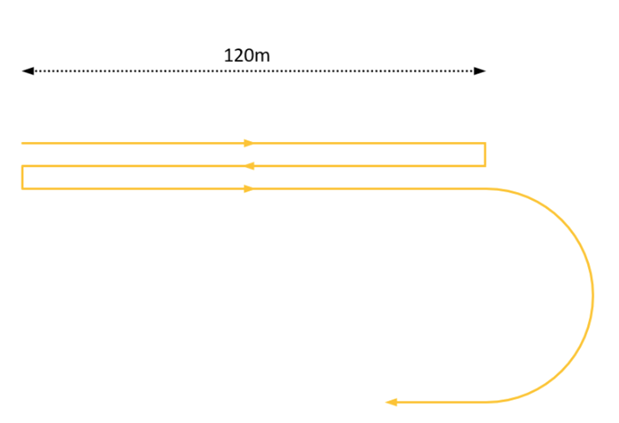
During the back-and-forth segment execution, the drone's heading remains the same, so it flies Forward, Backward, Forward and U-Turn as described below: