![ys_emblem_background_dorian_RGB.png]](https://helpcenter.yellowscan.com/hs-fs/hubfs/ys_emblem_background_dorian_RGB.png?height=40&name=ys_emblem_background_dorian_RGB.png)
When using DJI pilot with your UAV, there is a way to configure a custom payload. The following configuration parameters are valid for YellowScan Navigator.
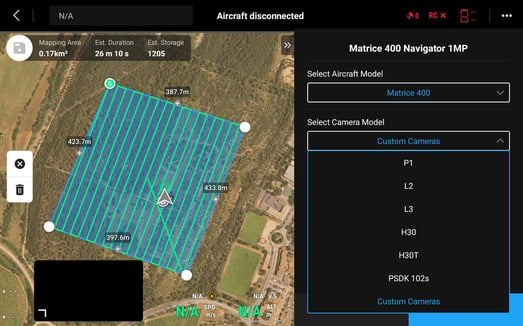
To complete this configuration, go to 'Camera Model' and select 'Custom Cameras' in the dropdown menu.
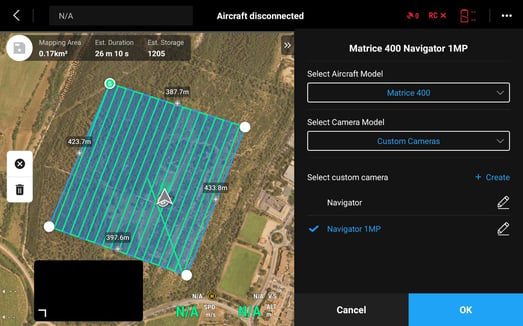
Click on 'Create' to add a new camera model. Give it a representative name according to the payload – Here 'Navigator 1MP'
Enter the sensor's specefications as shown below
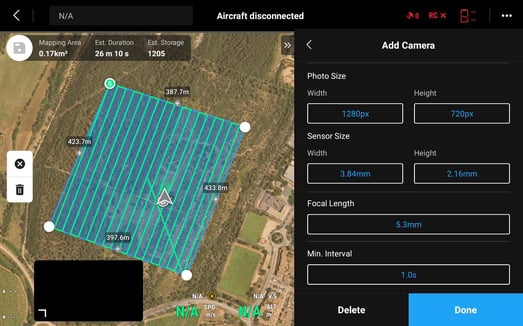
Leave min interval value to 1s – This will have no impact.
Once these camera parameters defined, click on 'Done' and save this new payload. You are now able to planify your Navigator mission using DJI pilot.